
Use Zillow property data in ChatGPT




Add ZillAPI to ChatGPT once, then research a U.S. home in plain English: price history, Zestimate, nearby sales and shortlists with photos.
ChatGPT on the web can connect to remote MCP servers as custom plugins. Add the ZillAPI MCP server and ChatGPT gets four tools: look up a home by address or zpid, read its Zestimate and rent Zestimate, and search listings in an area, including recent sales. You sign in with OAuth, so there is no API key to copy.
Before you start
- ChatGPT on the web. You add custom MCP servers in ChatGPT on the web, at chatgpt.com.
- A ZillAPI account. Sign up first, or create one during the sign-in step below.
- Work accounts. In a ChatGPT Business, Enterprise or Edu workspace, admins decide who may add custom MCP servers. If you don’t see the option, ask your workspace admin.
Set up the connector
- In ChatGPT, open Plugins (in the sidebar under Customize, or go to chatgpt.com/plugins).
- Select the + button, then Add custom MCP server.
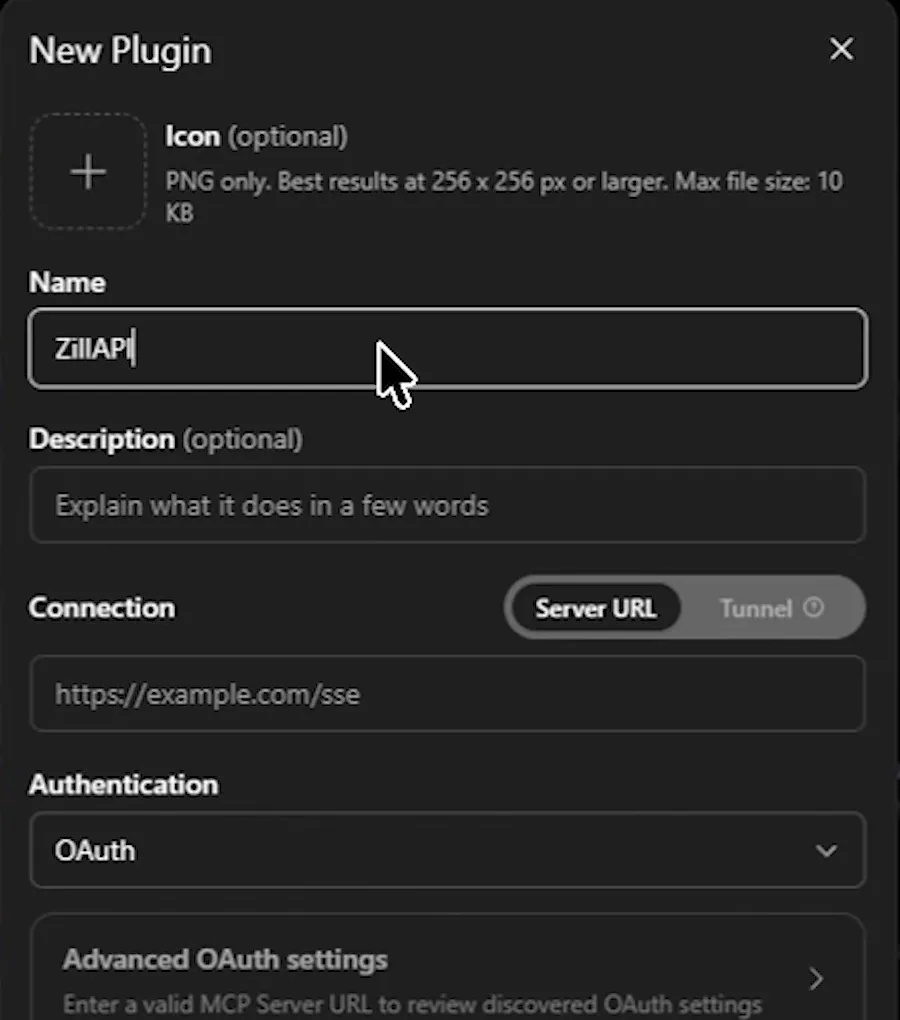
- Fill in the form:
- Name:
ZillAPI - Connection: keep Server URL and paste
https://api.zillapi.com/ mcp - Authentication: keep OAuth
- Name:
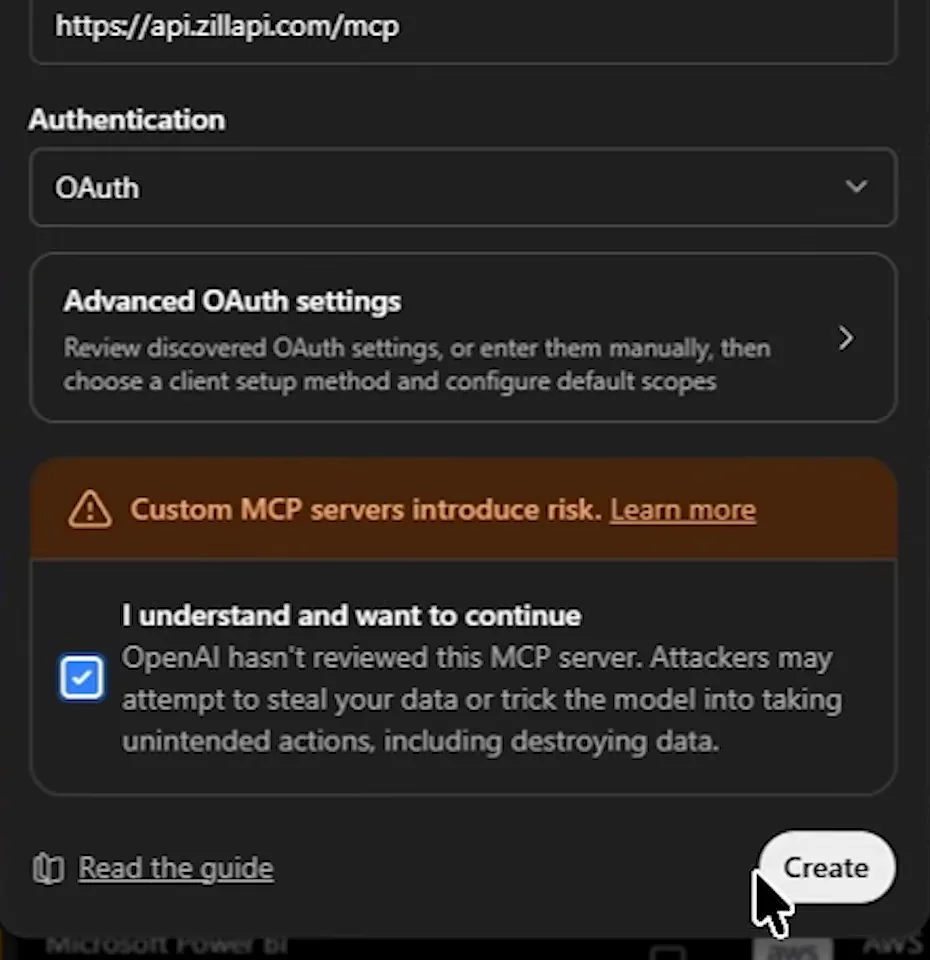
- Read the warning, tick I understand and want to continue, and select Create (or Create as a plugin).
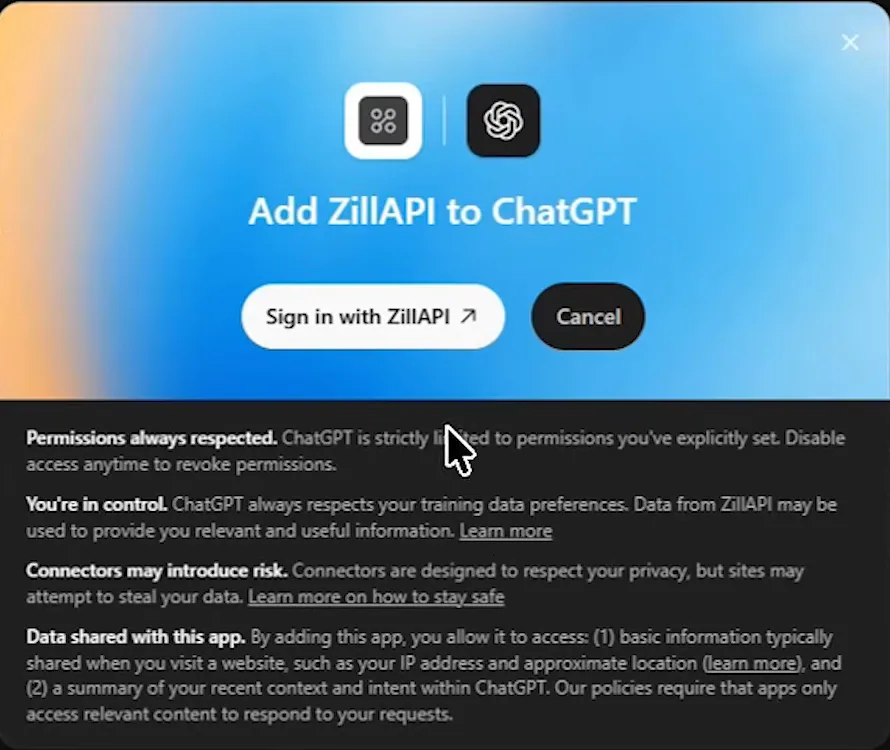
- ChatGPT shows Add ZillAPI to ChatGPT. Select Sign in with ZillAPI, sign in to your ZillAPI account (or create one), and allow access on the ZillAPI page that opens.
Developer mode. The current Plugins flow above doesn’t need it. If your account still shows the older Settings > Apps flow instead of Plugins, turn on Developer mode under Settings > Apps & Connectors > Advanced settings, then create the connector there with the same name, server URL and OAuth.
Labels can differ slightly between ChatGPT versions. OpenAI’s custom MCP server guide has the current steps.
Recipes to copy
Start a new chat, type @ and pick ZillAPI, or name it in your request. These six prompts follow the video, step by step. Replace [FULL ADDRESS] with the home you want to research, and change the city, budget and time zone for your search.
1. Look up a home
Use ZillAPI to look up [FULL ADDRESS]. Show what’s available:- Photo and asking price- Zestimate and price history- SchoolsKeep the results here without Zillow links.2. Check the price
Is this home overpriced? Use ZillAPI to compare recent nearby sales of similar homes.- Sale prices, dates and sizes- Comparison with this home’s asking price and Zestimate- Listing concerns and missing evidenceClearly label any asking-price comparisons.3. Find homes
Use ZillAPI to find homes for sale in Austin:- 3+ bedrooms, under $500k- Check up to 10; tell me how many you checked- Shortlist up to 3, numbered, with real photos and prices- Beds, baths and size for each- Why each is worth a look; reported concerns or missing evidenceKeep everything here without Zillow links.4. Compare the photos
Put these ZillAPI results into a photo comparison here.- Prices, beds, baths and a detail view- Home numbers and concerns kept visible- Missing photos labeled unavailable5. Take a closer look
Take a closer look at home #2 using ZillAPI. Compare recent nearby sales of similar homes:- Comparison addresses and sale dates- Prices and sizes- Listing concerns and missing evidenceKeep sold-price evidence separate from asking-price comparisons.6. Schedule follow-up checks
Check this same search daily at 9 a.m. America/Chicago, in this chat.- Save criteria, all checked property IDs, prices and check time- Use fresh ZillAPI results; compare with the last successful check- Alert me to new matches or verified price cuts, with old/new prices and dates- No changes: stay quiet- Failed check: tell me and keep the last successful baselineA price cut or estimate alone does not establish that a home is a bargain. Tool calls run on your ZillAPI account, so start with small searches. Costs per tool and plans are on the pricing page.
Watch the setup
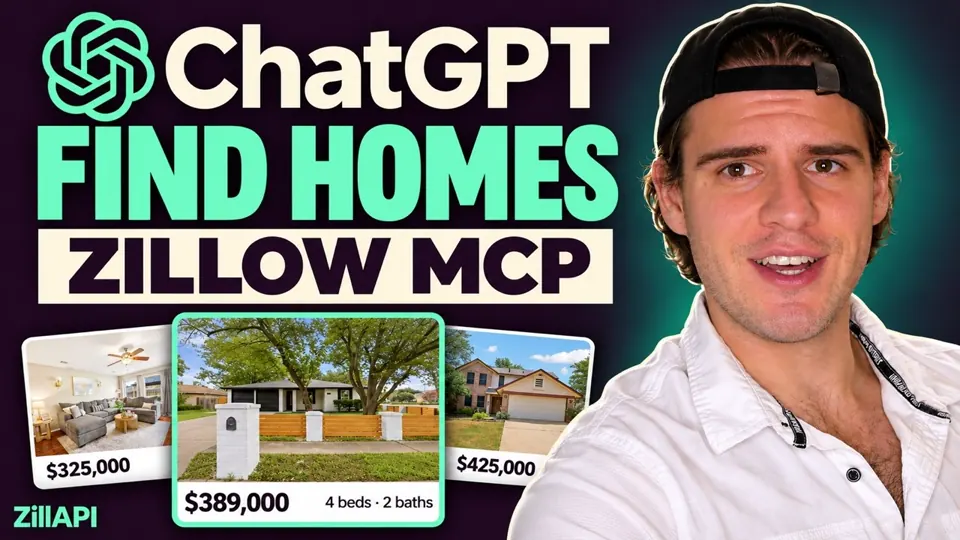
The video shows the whole flow: adding the server, signing in, a price check against nearby sales, a shortlist with photos and a scheduled daily check.
Zillow’s own app in ChatGPT, or ZillAPI?
Zillow has its own app in ChatGPT, made by Zillow. Start a prompt with “Zillow” and it shows Zillow listings for sale and for rent with photos, maps and prices. To request a tour, reach an agent or look at financing, it hands you off to Zillow.
ZillAPI is an independent data service. Its tools return a home’s property record by address or zpid, including price history, the Zestimate and rent Zestimate, and listings or recent sales in an area. The same data is available through an API key for your sheets, CRM and code. You can add both to ChatGPT.
Troubleshooting
- No Plugins page or no Add custom MCP server option. Your workspace may not allow custom MCP servers. Ask your ChatGPT workspace admin. On older accounts, use the Developer mode route above.
- The sign-in did not finish. Open the ZillAPI plugin under Plugins, connect again and complete the ZillAPI sign-in.
- ChatGPT answers from the web instead of ZillAPI. Pick the plugin with
@, or say “Use ZillAPI” at the start of your request. - A tool call fails with a credits or plan message. Check your balance in the dashboard and see pricing.
Other ways to connect
- A custom GPT with an Action instead of a connector: see Use Zillow data in ChatGPT custom GPTs.
- Claude, Claude Code and Cursor: see For AI agents & LLMs.
- Your own code: see OpenAI Agents SDK.
FAQ
- How do I add ZillAPI to ChatGPT?
- In ChatGPT on the web, open Plugins, select the plus button and Add custom MCP server. Enter the name ZillAPI and the server URL https://api.zillapi.com/mcp, keep OAuth, accept the risk notice and create the plugin. Then sign in with your ZillAPI account and allow access.
- Do I need an API key to use ZillAPI in ChatGPT?
- No key to copy. ChatGPT connects with OAuth: you sign in to your ZillAPI account and approve the connection, and ChatGPT stores the access for you.
- Do I need Developer Mode to add a custom MCP server to ChatGPT?
- Not in the current Plugins experience. The OpenAI help center says you add a custom MCP server directly from Plugins and acknowledge a risk warning instead. Accounts that still show the older Settings, Apps flow turn on Developer mode first. In Business and Enterprise workspaces, admin permissions decide who can add one.
- Is ZillAPI the same as the Zillow app in ChatGPT?
- No. The Zillow app in ChatGPT is made by Zillow: it shows Zillow listings with photos, maps and prices, and to request a tour, reach an agent or look at financing, it hands you off to Zillow. ZillAPI is an independent data service you connect with your own account: its tools return the property record for a home by address or zpid, including price history and the Zestimate, and listings or recent sales in an area, with the same data available through an API key.
ZillAPI is an independent service, not affiliated with, endorsed by, or sponsored by Zillow Group, Inc. “Zillow” and “Zestimate” are trademarks of Zillow Group, Inc., used here descriptively. ChatGPT is a trademark of OpenAI. See Trademark & Affiliation.